 Image: bgase.antwacode.com
BGASE: Save Editor for Brigandine Abyss
Hey everyone! 👋
If you're a fan of Brigandine: Abyss and have ever felt frustrated because your favorite unit fell behind in levels, or your fort ran out of crucial items — I've got a solution for you!
Introducing BGASE (Brigandine Abyss Save Editor) — a free save editor I built to safely edit Brigandine Abyss save files.
What is BGASE?
BGASE is a desktop application for Windows that lets you edit Brigandine Abyss save files. With BGASE, you can:
- ✅ Level up units that have fallen behind
- ✅ Restock items that have been used up
- ✅ Move forts to a different country
- ✅ Edit stats for units as needed
- ✅ Backup & restore save files with ease
Most importantly: every change is backed up first, so you don't have to worry about losing your campaign progress.
Why Was BGASE Created?
As a Brigandine Abyss player, I often experienced:
- Favorite units falling behind in levels — Too many units, hard to focus on leveling all of them
- Running out of items mid-campaign — Needed items but had no idea where to get them
- Poorly placed forts — Wanted to move a fort but there's no in-game feature for it
- Corrupted saves — Save files got corrupted and progress was lost
BGASE was built to solve all of these problems. And most importantly: every change is backed up first, so you can restore at any time.
Key Features
BGASE has 6 screens, each handling a different part of the save file:
1. Units — Muster Roll
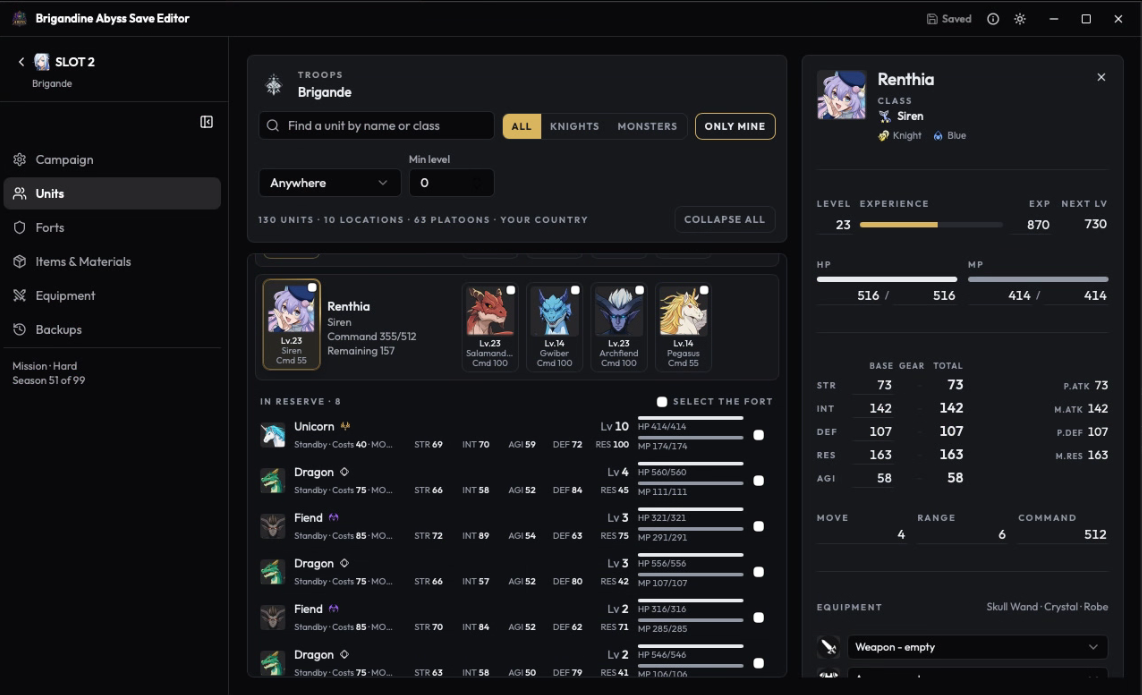 Image: bgase.antwacode.com
This screen displays the muster roll for each fort — all platoons along with their Command cost, level, experience, HP, MP, and 5 core stats.
You can:
- View all units at every fort
- Edit level and experience
- Change stats (Attack, Defense, Magic, Resistance, Speed)
- Move units between forts
2. Equipment
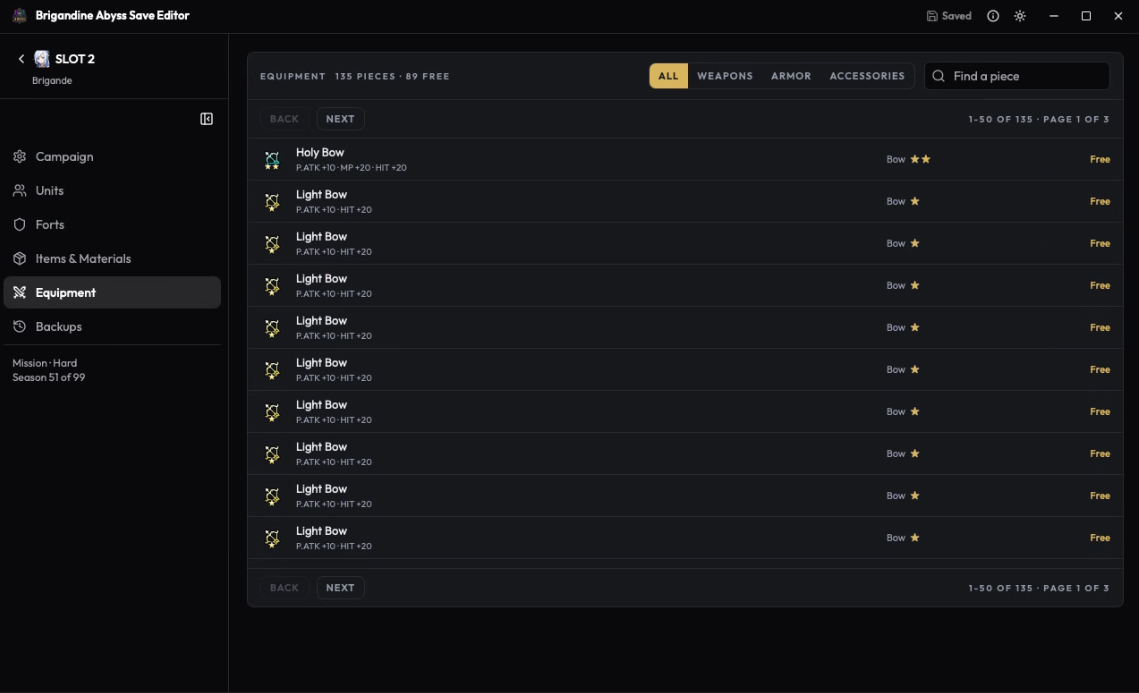 Image: bgase.antwacode.com
This screen displays all equipment in the save file — weapons, armor, and accessories. Each item shows who is currently using it.
You can:
- View all equipment (spare and equipped)
- Search by name
- Edit quantity
- Move items between units
3. Items — Treasury
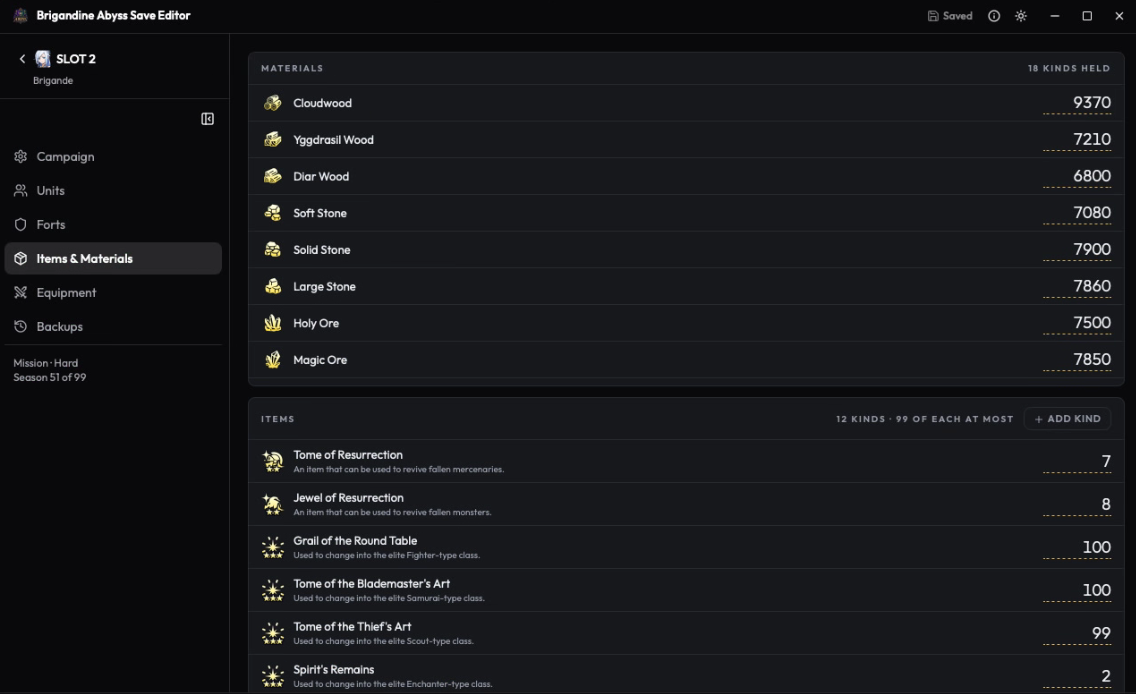 Image: bgase.antwacode.com
This screen displays the treasury (Mel) and campaign season info.
You can:
- Edit the amount of Mel
- View the current season
- Update campaign duration
4. Forts — Who Holds What
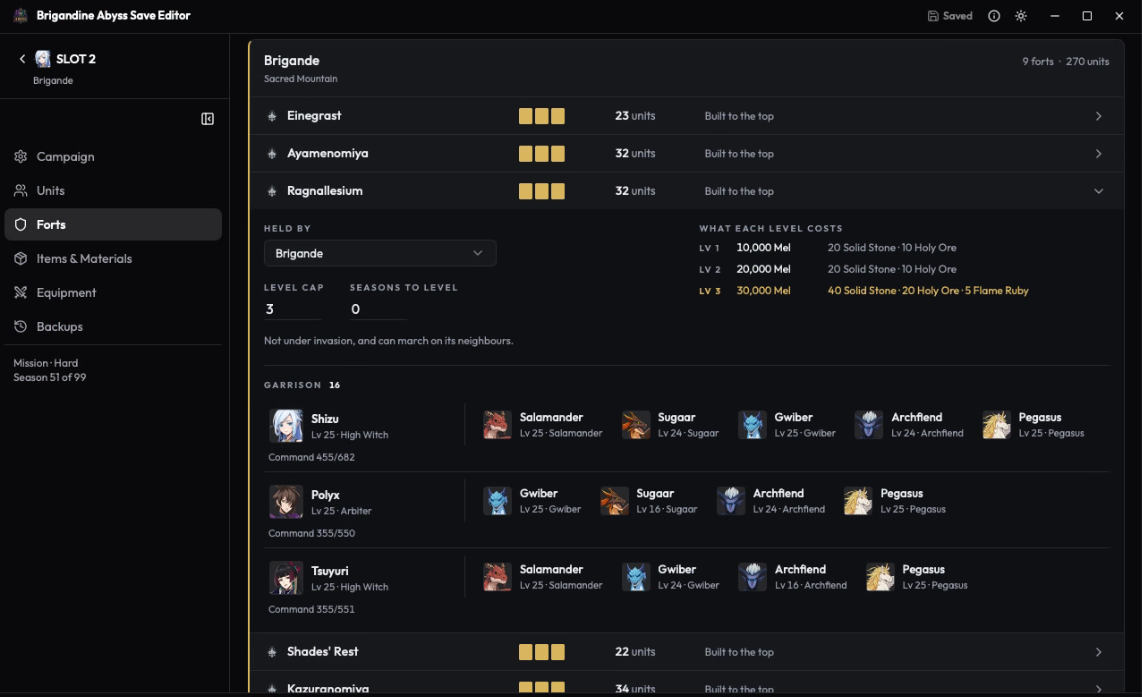 Image: bgase.antwacode.com
This screen displays all forts along with the country that controls them, the fort level, and the next upgrade cost.
You can:
- View all forts and their owners
- Move a fort to a different country
- Edit fort level
5. Backups
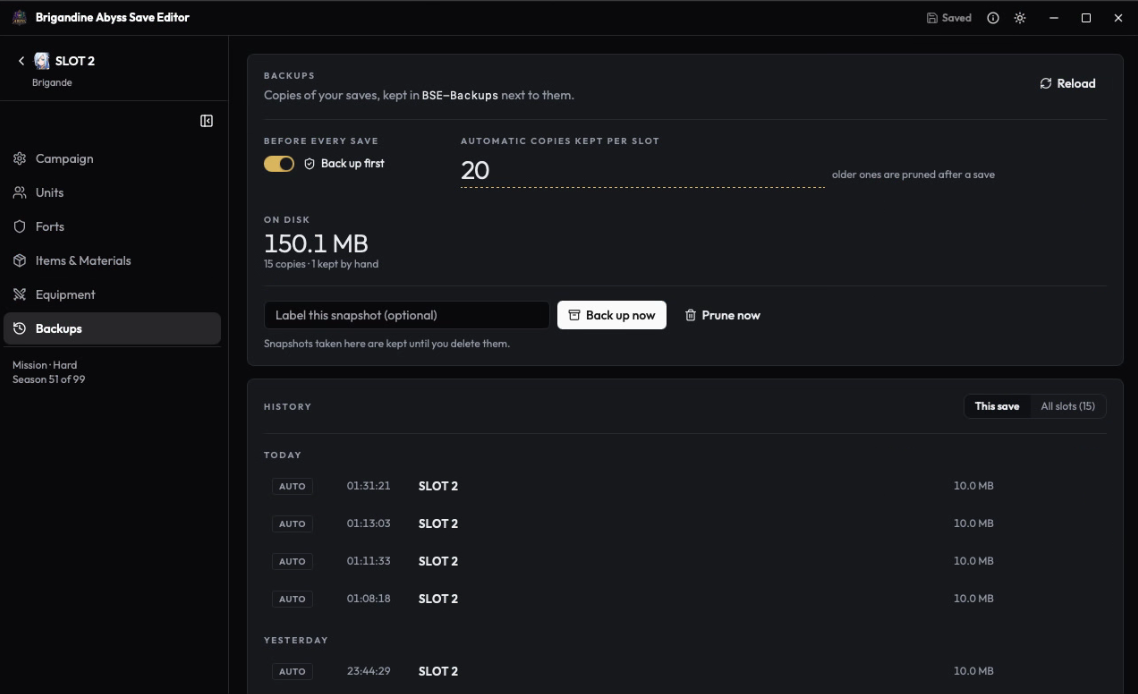 Image: bgase.antwacode.com
This screen displays all available backups. Every time you edit a save, BGASE automatically creates a new backup.
You can:
- View all backups (dated copies)
- Restore a backup with a single click
- Create a manual backup before major edits
6. Campaign
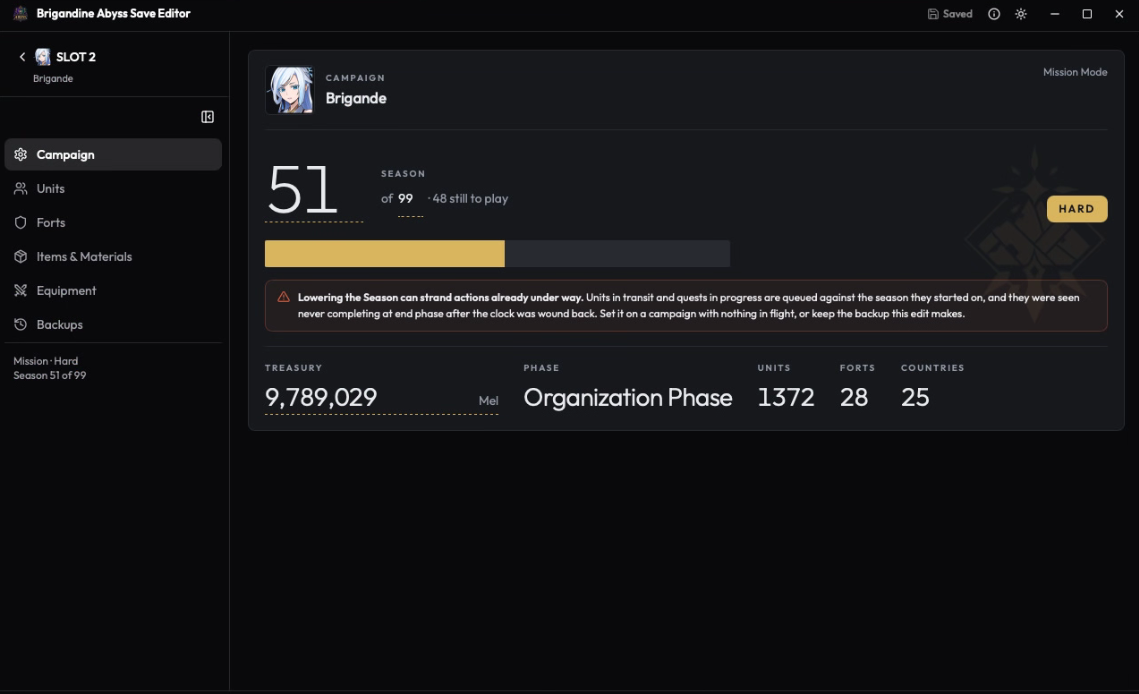 Image: bgase.antwacode.com
This screen displays overall campaign info — an overview of everything you've edited.
Safety First: Backup System
This is the most important feature in BGASE:
┌─────────────────────────────────────────────┐
│  Before editing:                            │
│  1. Read the save file                      │
│  2. Create a backup (dated copy)            │
│  3. Display the changes to be made          │
│  4. Ask for confirmation                    │
│                                             │
│  After editing:                             │
│  1. Write only the changed fields           │
│  2. Other fields remain untouched           │
│  3. Backup saved in a separate folder       │
└─────────────────────────────────────────────┘
What makes BGASE safe:
- ✅ Backup before write — Every edit is backed up first
- ✅ Selective write — Only changed fields are written, everything else stays intact
- ✅ Restore capability — You can restore from a backup at any time
- ✅ Dated copies — Backups are timestamped for easy identification
Download & Links
- Website: https://bgase.antwacode.com/
Conclusion
BGASE is a **safe, and free save editor for Brigandine Abyss. With its backup-before-write feature, you can edit save files without worrying about losing your progress.
If you're a Brigandine Abyss player in need of a save editor, give BGASE a try! 🎮
Found a bug or have a suggestion? Open an issue on GitHub!
More posts
JsonViewer: Interactive JSON Visualization
· 9 min read
Git Branching Strategy: Branching Models for Teams
· 3 min read
Clean Code: Tips for Writing Clean and Maintainable Code
· 5 min read